


Google buying guide · Updated 5 November 2026
The Pixel 11 Pro and Pixel 11 Pro XL are Google’s premium conventional smartphones for 2026. The important buying question is whether their camera tools, software and choice of size fit your routine. This guide separates the published specifications from our practical advice, so you can compare the two without relying on launch slogans.
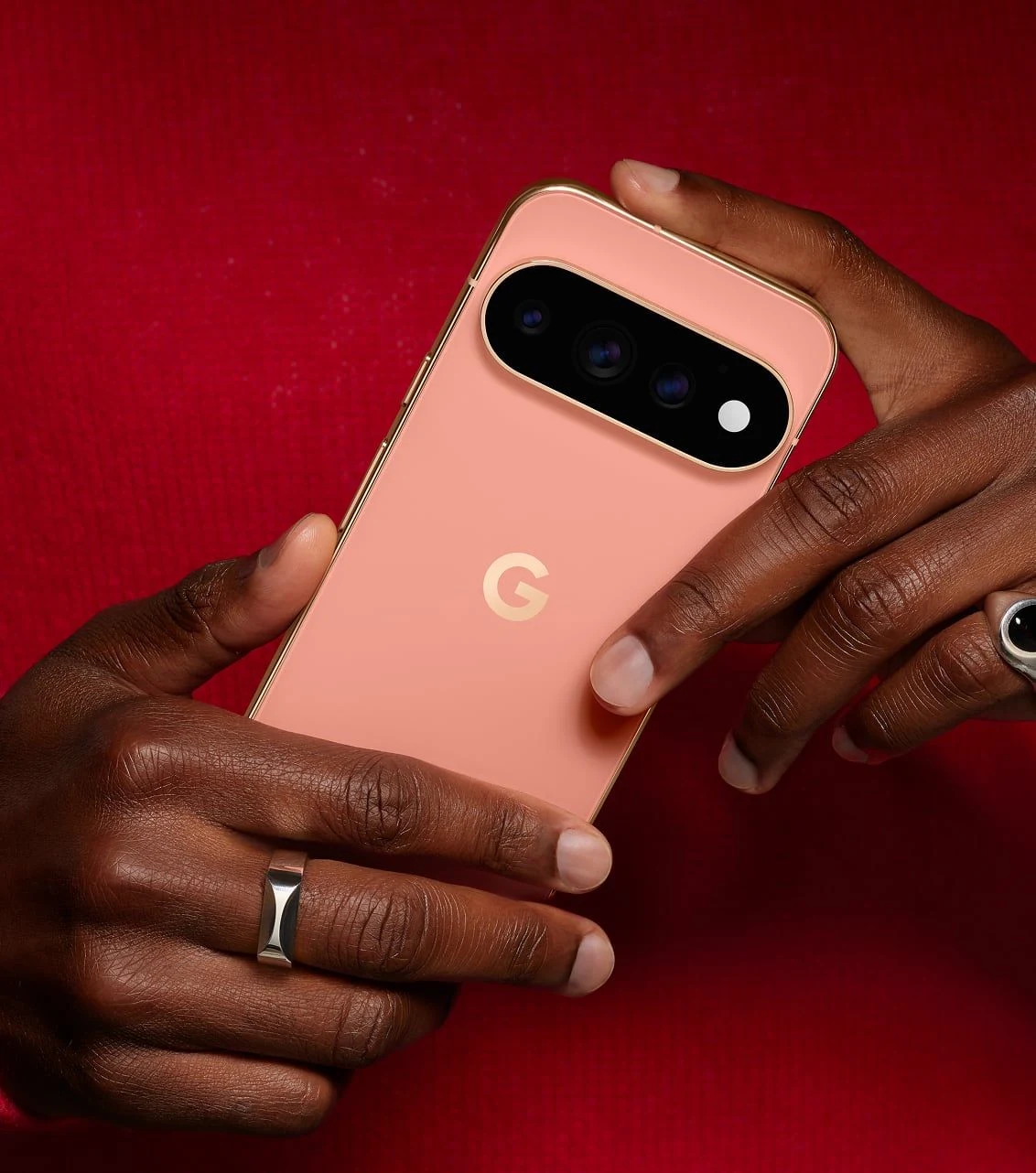
Pixel 11 Pro versus Pro XL
| Feature | Pixel 11 Pro | Pixel 11 Pro XL |
|---|---|---|
| Display | 6.3-inch LTPO OLED, 1–120Hz | 6.8-inch LTPO OLED, 1–120Hz |
| Processor | Google Tensor G6 | Google Tensor G6 |
| Typical battery | 4,850mAh | 5,115mAh |
| Rear cameras | 50MP main, 48MP ultrawide, 48MP 5x telephoto | |
| Storage | 256GB, 512GB or 1TB; availability varies | |
| US launch price | From $1,099 | From $1,299 |
US launch prices are shown before local sales tax and do not include temporary discounts or trade-in credits. The phones became available on 25 August 2026. Check your country’s Google Store for the exact configuration and current total price.
Choose the size you will enjoy carrying
Our starting advice is simple: buy the size that works for ordinary days. A large display can be attractive in a showroom and tiring in a pocket. Try a few normal actions with each model: type a reply, reach a navigation button, hold it for a video call and take a photograph one-handed.
We would shortlist the Pro when portability is the first priority. The XL is worth considering when the phone is a main screen for reading, editing pictures or watching longer videos. Neither choice requires an assumption about camera quality from size alone. Decide what the extra screen space is worth to you before comparing the price difference.
Try larger text and your preferred keyboard layout as well. A comfortable interface matters more than how many words fit on a specification chart. If you wear glasses or use accessibility settings, test those settings in the apps you actually open every day.
Cameras: useful versatility beyond the megapixels
The Pro models share the main, ultrawide and 5x telephoto arrangement listed above. Google’s 120x Pro Zoom is a computational zoom mode, not a 120x optical lens. Google’s software tools include Magic Capture, Camera Coach and editing through Ask Photos.
When evaluating a camera, we recommend starting with the scenes you find difficult: a moving pet indoors, a backlit face or a group at a dinner table. Compare the finished pictures without immediately zooming to maximum magnification. Then look more closely at faces and fine edges. A pleasing thumbnail can hide an awkward edit.
A long zoom can be useful for exploring a composition, but maximum zoom should not become the entire buying argument. Ask whether a picture is still useful at the crop you would print or share. For documents, receipts and information you need to trust, keep an unedited original rather than relying on a heavily enhanced version.
Our editorial preference is to learn the camera’s basic framing and exposure tools before adding creative effects. It makes comparison more meaningful and helps you understand whether an improvement comes from capture, editing or a change in the scene itself.

Software and Gemini: start with a real task
Google positions the range around Gemini Intelligence. Tensor G6 powers the devices, and HiLight provides subtle rear-facing light alerts. Treat the advertised features as a list to investigate, rather than a promise that every language, app or region receives identical functionality.
We would test an assistant against one routine that currently wastes time. For example, ask it to help organise a casual weekend plan, then check every date, address and suggestion yourself. A feature earns its place when it reduces work after verification. If correcting it takes longer than doing the task directly, it should not drive an expensive hardware decision.
Check which functions require internet access, account permissions or an additional paid plan. Make a note of the subscriptions you would keep after any promotional period. Do not value an included trial at its headline retail price if you would never otherwise subscribe.
Updates: the clock starts at release
Google promises seven years of operating-system and security updates for Pixel 8 and later, measured from first US Google Store availability. The Pixel 11 Pro specifications also list Pixel Drop updates. Buying a phone later does not restart the support period.
For a long-term owner, our recommendation is to look beyond the software promise. Ask about local repair availability, replacement-battery cost and the condition rules for warranty service. A sensible ownership budget includes the possibility of a battery service rather than assuming the original battery will feel new throughout the whole support period.
Keep a recovery plan too. Check that your photographs, contacts and important account recovery details can be accessed if the handset is lost. A long update commitment is valuable, but it is not a backup of your personal information.
Battery and charging: compare like with like
Google rates both phones for more than 30 hours of use under its test conditions. The published wired charging targets differ: up to 55% in about 30 minutes for the Pro, or 75% for the XL, with the specified compatible chargers. These are not our independent measurements.
We suggest comparing how a phone would fit your charging opportunities. Someone at a desk all day has different needs from someone using navigation between appointments. Check the charger specification, cable and case compatibility as a package, especially if you want wireless charging on a stand you already own.
Do not treat battery capacity alone as a ranking of real battery life. The useful question is whether the phone can handle your own combination of screen use, signal conditions, camera sessions and background apps. Leave yourself a margin rather than planning every day around a best-case claim.
Which storage option makes sense?
Look at the space currently occupied by your apps, offline media and photographs. Then consider how long you intend to keep the next phone. We would pay for extra storage to avoid a recurring problem, not simply because a larger number seems more future-proof.
If you plan to transfer from another platform, make a small checklist before purchase. Include banking apps, authenticator recovery, messaging history and any paid accessories you rely on. Check each essential service with its provider; do not assume that moving photographs also transfers every account and app setting.
Our buying verdict
The Pixel 11 Pro is our starting shortlist for someone who wants Google’s premium camera and software approach in the smaller format. The XL is the alternative when more screen area and its different battery and charging specifications justify the extra cost. Keep the standard Pixel 11 and discounted older models in the comparison if your requirements are simpler.
We would buy only after answering three questions: is the size comfortable, are the camera tools useful for your pictures, and is the total ownership cost sensible? A long feature list is encouraging, but a phone should earn its price through the things you will actually do with it.