


Samsung buying guide · Updated 5 November 2026
The Galaxy S26 Ultra is Samsung’s premium conventional Galaxy S phone for 2026. Its large display, multiple camera focal lengths and built-in Privacy Display make it an interesting option for people who use a phone for more than quick messages. But the smaller S26 and the S26+ deserve a place in the comparison before you pay for the Ultra.
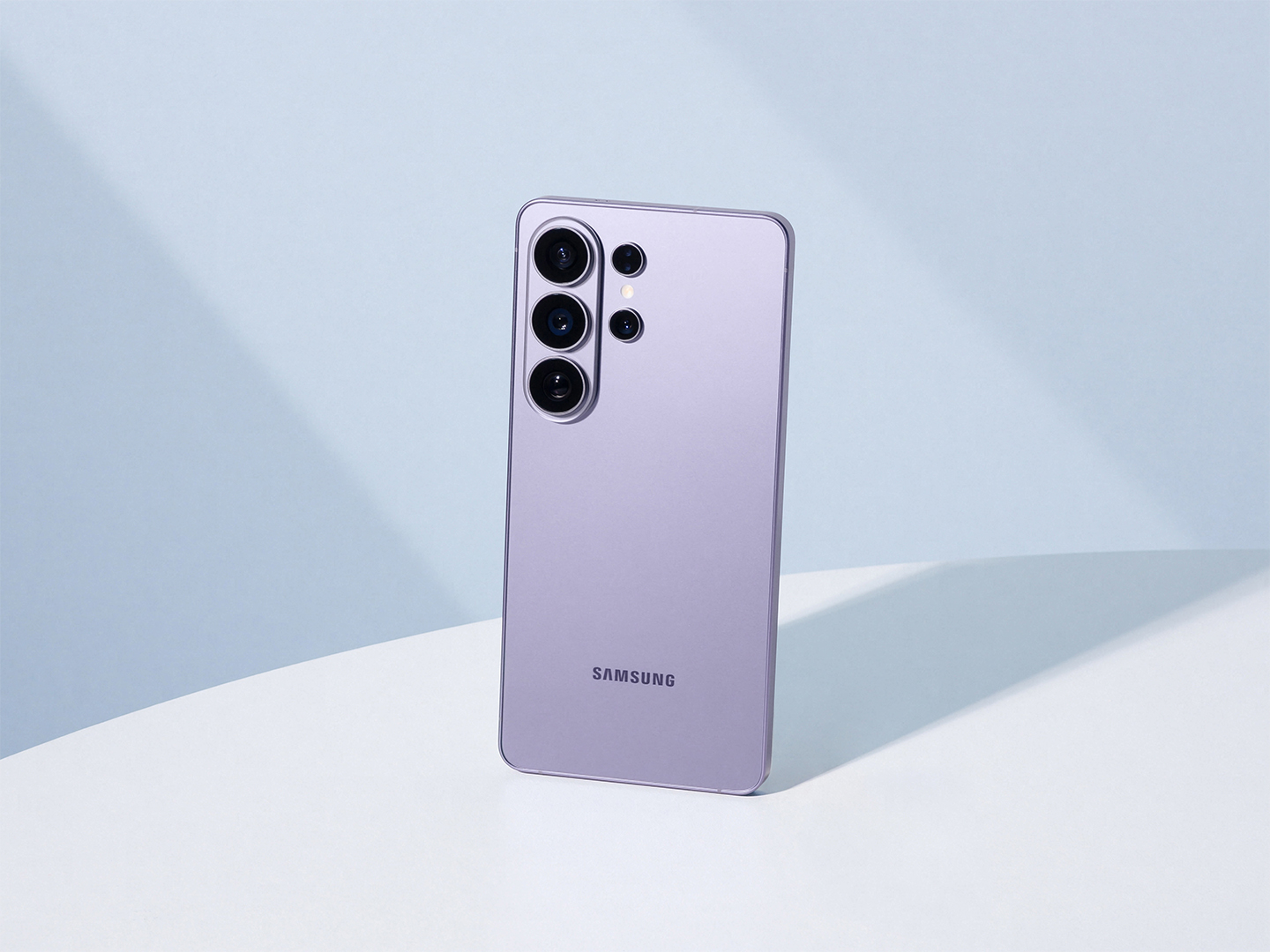
Galaxy S26, S26+ and Ultra compared
| Feature | S26 | S26+ | S26 Ultra |
|---|---|---|---|
| Display | 6.3-inch | 6.7-inch | 6.9-inch |
| Weight | 167g | 190g | 214g |
| Typical battery | 4,300mAh | 4,900mAh | 5,000mAh |
| Main camera | 50MP | 50MP | 200MP |
| Storage choices | 256/512GB | 256/512GB | 256/512GB or 1TB |
These published specifications may vary by market and configuration. The series became widely available on 11 March 2026. Compare your local Samsung store’s current cash price rather than an advertised monthly payment alone.
First decide whether you want a large phone
Our first buying recommendation is to hold the Ultra before choosing it. Test the reach to the top corner, the balance while taking a photograph and the space it occupies in your everyday pocket or bag. Add the weight and thickness of the case you plan to use.
We would shortlist the Ultra when a large screen serves a daily purpose: reviewing documents, editing photographs or using maps with comfortably sized text. If you mainly want a reliable phone for calls, messaging and occasional pictures, start with the S26. The Plus deserves attention when you want more screen space without automatically paying for every Ultra feature.
Someone who reads extensively on a phone should try the same page at their normal text size on each model. A larger display is only useful if it makes the experience more comfortable. Consider how long you hold the phone at a time, not just how impressive it looks on a shop counter.
Privacy Display: a specific reason to consider the Ultra
Samsung’s built-in Privacy Display limits what can be seen from side angles. It is a distinctive Ultra feature, designed for situations such as public transport and shared spaces. Treat it as a screen-viewing control, not a replacement for account security or careful handling of sensitive information.
Our suggestion is to test it with the kind of material you normally read in public. Look from your own viewing position, then from the side. Try different brightness settings and decide whether the trade-off suits you. If you frequently show photographs to people beside you, check how easily you can switch between private and shared viewing.
This is a good example of a feature that may matter much more to one buyer than another. It could be useful for a frequent train commuter and largely irrelevant for someone who mostly uses a phone at home. Your routine should determine the value.
Cameras: four perspectives, not one big number
The Ultra’s published rear setup combines a 200MP main camera, 50MP ultrawide, 10MP 3x telephoto and 50MP 5x telephoto. Samsung distinguishes optical zoom from optical-quality processing; its 10x optical-quality claim is not a 10x optical lens.
We would assess those cameras by comparing framing at useful everyday distances. A wider view can help with a room or a group, while a telephoto perspective can help isolate a subject. Make a shortlist of scenes you actually photograph instead of deciding on megapixels alone.
When comparing sample pictures, look at faces, fine textures and edges around moving subjects. Try to compare the same scene and lighting, since a sunny landscape says little about a dimly lit family gathering. Keep full-resolution originals so you can inspect more than a compressed social-media preview.
Samsung’s launch information also describes Nightography video, Super Steady horizon lock and text-directed Photo Assist editing. Our advice is to keep a clear distinction between improving a photograph’s presentation and changing its content. Save an untouched version when a picture records something important, such as a receipt or an event you need to document accurately.
Performance: look for the bottleneck you actually have
The Ultra uses Snapdragon 8 Elite Gen 5 for Galaxy. Samsung pairs it with revised vapour-chamber cooling and offers different memory configurations by market. The specifications are promising, but they do not substitute for sustained-performance measurements.
Before paying extra for speed, list what makes your current phone feel slow. Is it opening an app, editing a long video, waiting for a mobile connection or finding files? Those are different problems. A faster chip cannot be assumed to solve every delay.
For demanding games or creative work, we would look for a practical demonstration using the exact app and settings you need. Check comfort, heat and consistency over time rather than a single quick launch. For ordinary messaging and browsing, ergonomics and total price may deserve more weight than the top processor tier.
Battery and charging in context
Samsung specifies a typical 5,000mAh battery and up to 75% charging in around 30 minutes with the required 60W adapter under its test conditions. The adapter is sold separately. Actual results depend on usage and charging conditions.
Plan around your own day: commuting, navigation, photographs, calls and periods away from a socket. Ask whether a short charging opportunity would help more than buying the largest device. If you already own a charger, verify its supported standard rather than assuming that the wattage printed on it guarantees the advertised speed.
We would include charging accessories in the price comparison from the outset. Compare the cost of a complete setup you will use, with the same storage allowance and necessary accessories for each phone. That avoids a misleading comparison between a discounted bare handset and a more complete package.
Galaxy AI and long-term ownership
Samsung advertises tools including Now Nudge and Now Brief, with availability dependent on region, language, account and software. It also promises seven years of security updates for the S26 series. Check the details relevant to your country and intended features.
Our recommendation is to treat AI assistance as optional convenience. Try a small task, review the output and decide whether it is useful after corrections. Set aside any feature that requires access you are uncomfortable granting. Do not buy an expensive phone mainly for a future capability that you cannot yet use.
For long-term value, ask about local service, battery replacement and repair costs. Keep a backup and account recovery plan that works without the handset. An ownership decision is stronger when it considers maintenance as well as launch-day features.
Our buying verdict
The S26 Ultra belongs on the shortlist when its large display, privacy control and camera options match specific needs. We would choose the S26 or S26+ instead if comfort, portability or cost matter more than those additions. The most expensive option is not automatically the most satisfying one.
Before ordering, compare the exact regional model, storage, full price and return conditions. A trade-in can be useful, but read how the credit is paid and which contract obligations accompany it. Upgrade because the new phone improves your daily use, rather than because a feature list makes your current device look suddenly inadequate.