


Fingerprint & Security · Practical guide
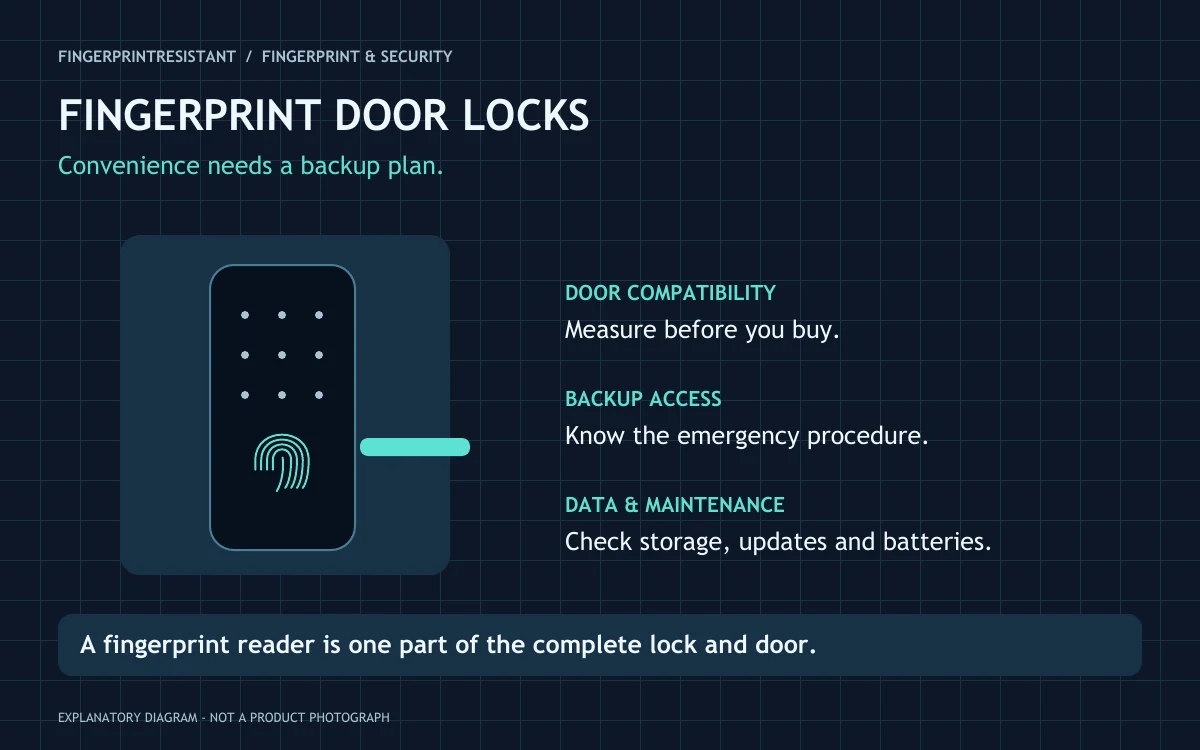
A fingerprint reader is one way to open a lock, not a complete security assessment. Start with door compatibility, the physical lock, a dependable backup entry method and clear software support. Then decide whether fingerprint access improves your household’s everyday routine.
A fingerprint door lock can be appealing when you come home carrying shopping or do not want to hand out physical keys. But “fingerprint door lock” covers different products: replacement deadbolts, handle-and-lock assemblies and systems that add a fingerprint keypad to another smart lock. The right questions begin with your door and your users, not the most impressive feature list.
How does a fingerprint door lock work?
During enrolment, an authorised user registers a finger. On a later touch, the system compares the scan with its stored biometric information and decides whether to grant access. The exact sensing method, matching process and storage arrangement depend on the product. Do not assume that every lock works like the reader on your phone.
The reader is only one part of the system. The physical latch or bolt still has to operate correctly, the door must close properly, and the power supply must be maintained. A successful scan cannot correct a badly aligned strike plate or make an unsuitable lock fit a different door type.
Check the door before the feature list
Identify the existing lock type and measure the dimensions requested by the manufacturer. Depending on the design, relevant details can include door thickness, backset, cylinder arrangement, hole spacing and the space around a handle. A lock intended for one market or door format is not automatically suitable elsewhere.
Also consider the inside of the door. Check how people exit, whether the handle or turnpiece is comfortable for everyone in the household, and whether the new hardware conflicts with the frame or another fitting. If it is a shared, rented or specialist door, confirm permission and suitability before installation. A qualified installer can assess compatibility without forcing a purchase around the wrong product.
| Question | What to look for |
|---|---|
| Will it fit? | A model-specific compatibility guide and actual measurements. |
| How do I get in if scanning fails? | A documented, usable alternative that is accessible from outside. |
| What happens when batteries run out? | Low-power alerts and the exact emergency access procedure. |
| Does it need the internet? | Separate descriptions for local entry, remote control and integrations. |
| Where is fingerprint information stored? | A clear manufacturer explanation for this product and region. |
Plan backup access before you need it
Read the manual’s failure and emergency sections before buying. Depending on the lock, alternatives may include a physical key, a PIN, an authorised phone or an external emergency power connection. These are not interchangeable features, and not every product provides each one.
For example, Aqara’s U100 product information describes several access methods and local fingerprint storage, while its specification page details that model’s emergency power arrangement. This is an illustration of the information to verify, not a recommendation or a claim about every Aqara lock.
Keep the backup useful in the situation you are planning for. A spare key locked inside the house will not help someone outside. A phone-only alternative may be awkward if the phone is lost or flat. Agree on an appropriate household plan, and test the manufacturer’s normal procedures while you can still open the door safely.
Battery life and connectivity are different questions
Look for the battery type, replacement or charging process and warning behaviour. Advertised battery life is usually a manufacturer estimate under particular conditions, not a guarantee for your front door. Use, temperature, connection settings and the mechanical work needed to move the lock can affect the practical experience.
Ask what continues to work without a router, a hub or a cloud service. Local fingerprint entry and remote unlocking are different functions. Smart-home compatibility also needs precision: support for one ecosystem does not prove that every function is available through it. Check whether a bridge, subscription or additional accessory is required for the features you intend to use.
What about fingerprint privacy?
Ask where the biometric information is stored, who can enrol or delete users, and what happens when the lock is reset or ownership changes. Avoid assuming that a statement about encryption answers every privacy question. Account access, administrator permissions, app data and entry logs deserve attention too.
For visitors or tradespeople, consider whether a temporary PIN is more appropriate than registering a fingerprint, if the product supports it. Remove access when it is no longer needed. If the lock records entry history, make sure the people affected understand what is recorded and who can view it.
Convenient access does not mean an unbreakable door
Evaluate the complete installation: lock construction, cylinder or bolt design, door condition, frame and manufacturer support. Where a product claims independent certification or a security grade, check the exact model, market and scope of that claim. A marketing term such as “military-grade” is not a substitute for clear evidence.
Fingerprint matching can fail to recognise an authorised user, and systems can differ in their resistance to misuse. Do not treat a quoted recognition percentage as a universal security score. Read the test conditions and maintain an alternative method for ordinary situations such as gloves, a wet finger or an injured fingertip.
A practical first-week checklist
- Check comfortable operation. The door should close and the lock should operate without forcing it.
- Enrol intended users carefully. Follow the product’s instructions and confirm each person can use the sensor naturally.
- Try the backup procedure. Do this safely with the door open where the manual allows, rather than creating a lockout.
- Review permissions. Keep administrator access limited and remove temporary users when finished.
- Set maintenance reminders. Check battery alerts, update guidance and physical operation periodically.
Who is a fingerprint door lock best suited to?
It can be useful for a household that values touch-to-open convenience, has a compatible door and is comfortable maintaining both hardware and software. It may be less useful where users struggle with the sensor, installation is unsuitable or the backup plan is unclear. A reliable conventional lock can remain the better choice when those practical questions are unresolved.
Quick answers
Will a fingerprint lock work during an internet outage?
Some products provide local access without the internet, while remote features require connectivity. Check the specific manual rather than assuming that “smart” means permanently cloud-dependent or fully offline.
Can I forget physical keys entirely?
Only after understanding the product’s backup arrangements, and even then keep a realistic emergency plan. Fingerprint access reduces one everyday task; it does not remove every possible failure.
Sources and editorial notes
Written from the official guidance linked below. This is an independent explanation, not a hands-on product test. Interfaces, compatibility and support options can change; use the instructions for your exact product and region. Reviewed November 2026.