


THE IPHONE ARCHIVE · 2011
The iPhone 4S is a useful reminder that an iPhone generation need not look different to have its own story. Siri and the camera gave the familiar glass-and-metal body a new role.
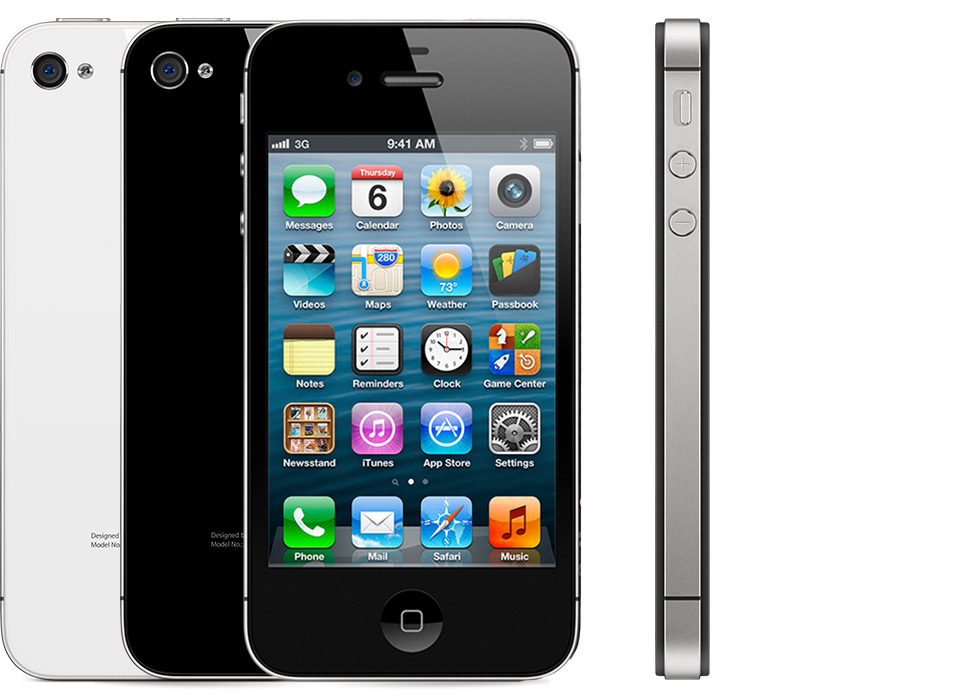
What changed with this iPhone?
Apple introduced the A5 chip, an 8-megapixel rear camera and 1080p video recording. Siri arrived as a voice assistant, alongside the launch of iOS 5 and iCloud. First availability began on 14 October 2011.
| At a glance | Original generation |
|---|---|
| Processor | Apple A5 |
| Rear camera | 8 MP |
| Video | 1080p recording |
| Headline feature | Siri |
Talking to a phone changes the task
Voice interaction is most interesting when it reduces the work of finding a control, rather than when it simply imitates typing. That makes the 4S an important point in the archive: the interface was no longer only something to touch. For a historical demonstration, choose a task and explain why speaking might be convenient in that situation. Do not treat the original announcement as evidence of what a voice service can do today.
Understanding this generation
The model name is often written 4S in launch material and 4s in later identification guides. Both refer to this generation. It can be difficult to distinguish from an iPhone 4 in a casual photo, so use Apple’s model identification and the device’s own information. Storage capacity and an attractive replacement shell are not enough to establish a particular unit’s history.
Looking at one today
For a camera-history collection, the 4S works best with an explanation of what changed in image capture and video, rather than a comparison of megapixels alone. Ask whether the cameras focus, whether recorded sound is usable and whether the sample files can be transferred. For any unit bought to use, verify the particular apps and services you need before relying on it.
For a used device, ask the seller to demonstrate normal operation before payment. Check the exact model, storage, charging port and battery condition, and make sure the device can be set up by its next owner. A clean exterior alone does not establish its condition.
Official sources and further reading
Apple’s original announcement · Apple technical specifications